Manage multiple Google Ads accounts in one calm panel.
Odak Ads puts every Google Ads account you run on one screen, one project per business or client. The accounts that need you today come first; the rest stay quiet until something changes.
7 days free · No card required · Included in every plan
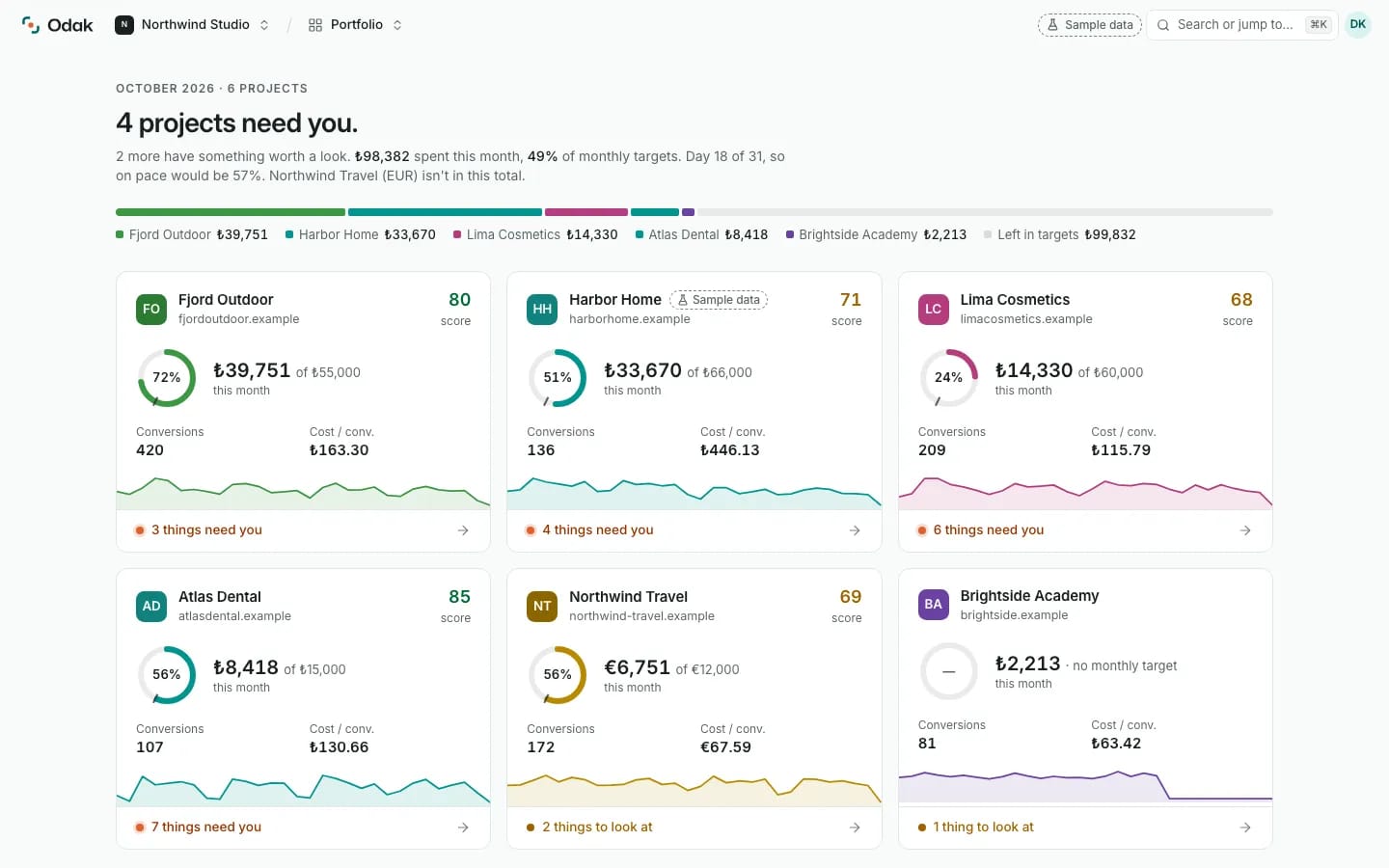
Screenshot of Odak’s portfolio with its built-in sample data.
How it works
01One project per business or client
A project is one business, site or client with its own Google Ads account. Add as many as your plan allows, then move between them from the portfolio or the project switcher.
Every organization starts with a sample project, so you can look around before you connect anything. It does not count toward your plan.
02What “needs you” means
A project needs you when its Google Ads connection has stopped working or when Odak found something critical in it: spend far ahead of the month’s pace, money going to searches with no conversions, conversion tracking that is missing. Those projects move to the top, each with its reason in one line.
When nothing needs you, the portfolio says “All on track. Nothing needs you today.” and stops there.
03Connect through a manager account or directly
Sign in with Google once and choose the accounts: through your manager account (MCC) or the ones you can open directly. Odak keeps the connection encrypted and never sees your Google password.
Each connection stands on its own. If one stops working, only the projects that use it ask you to reconnect; every other project keeps working.
04This month’s spend against your target
Give a project a monthly target and Odak shows this month’s spend against it and whether you are ahead of or behind the pace. Money always shows in the ad account’s own currency, so accounts in different currencies sit side by side.
The multi-account view at a glance
| What it is | Every Google Ads account you run on one portfolio screen, one project each |
|---|---|
| Accounts per project | One Google Ads account per project |
| How accounts connect | Google sign-in (OAuth), through a manager account (MCC) or directly |
| What “needs you” means | A broken connection or a critical finding; those projects come first |
| Plans | Every plan: Lite 3 projects, Pro 10, Agency unlimited · Pricing |
| Ad platforms | Google Ads · Meta and other platforms later |
Multi-account questions
How many Google Ads accounts can I manage in Odak?
As many projects as your plan allows: 3 on Lite, 10 on Pro and no limit on Agency. Each project holds one Google Ads account. Archived projects and the sample project do not count.
Do I need a Google Ads manager account (MCC)?
No. Connect the accounts you can open directly, or go through a manager account if you have one. Odak lists every account your Google sign-in can reach and you choose which ones to add.
What happens if one connection stops working?
Only the projects that use that connection are marked and ask you to reconnect. Other connections and their projects keep working as before.
Can I manage accounts in different currencies?
Yes. Every project shows money in its own ad account’s currency, so a euro account and a lira account sit side by side without conversion.
Related
Recommendations
Only the Google Ads issues that need you today, each with one action.
Read moreFeatureTeam access
Owner, Admin, Editor and Viewer roles, with an audit log.
Read moreGuideHow to Manage Multiple Google Ads Accounts
Separate logins, manager accounts and a daily triage routine: how to run many Google Ads accounts without losing track.
Read the guideEvery account you run, in one place.
Start your free trial, look around the sample project, then connect your first Google Ads account.
7 days free · No card required